
Missouri City iReport5.17.0 - App Store
You'll be able to see results in few seconds.
Publisher Description
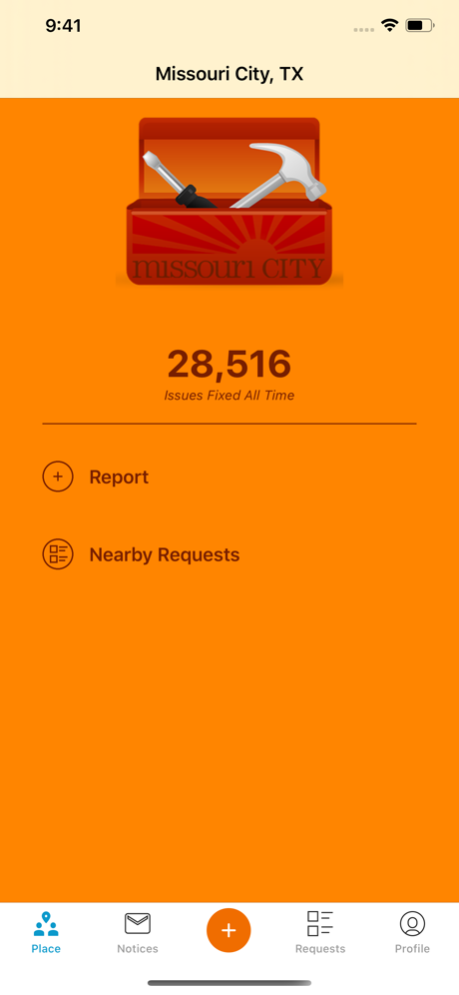
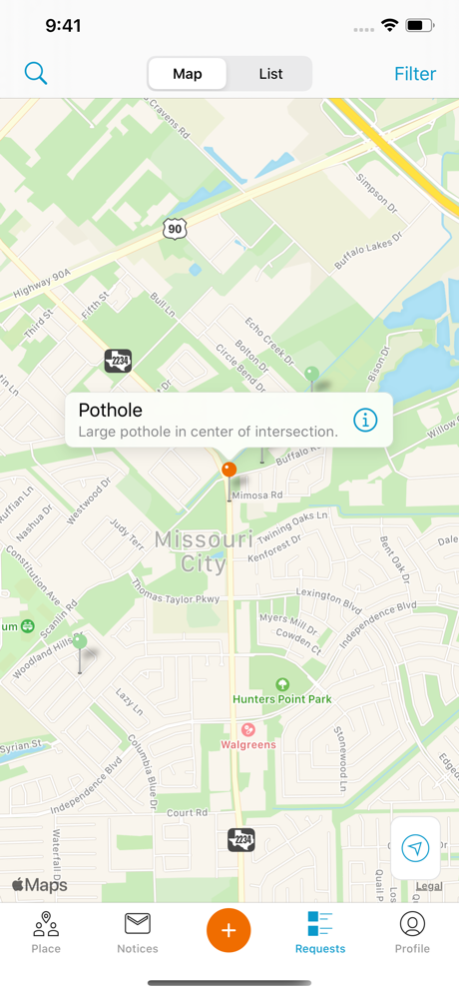


The city has partnered with a third-party provider SeeClickFix to provide an online and smart phone application that allows citizens to report code enforcement violations and other non-emergency issues. The application uses GPS to identify a specific location and links the location with a photo of the issue taken with the smart phone. Once an issue has been reported, SeeClickFix facilitates communication with the corresponding Code Enforcement Officer via e-mail and the officer then determines the appropriate course of action. Individuals can track the status of their complaint, receive progress reports and comment on other complaints.
Issues can also be reported and tracked online through the City’s website.
Here is some additional information on how SeeClickFix works and what to expect when using the system:
• The City of Missouri City is open Monday through Friday from 8:00 a.m. to 5:00 p.m. Planning & Development staff responds to all SeeClickFix postings. Issues reported after 5:00 p.m. on business days, on weekends or holidays will be responded to the next business day.
• For issues that require immediate attention (such as loud parties or animal control issues), please call the MSPD non-emergency number at 281-403-8700.
• When an issue is posted that has to be fixed by an agency or group outside of the city, we will report the issue to that group and ask them for an estimated resolution time. The city is not responsible for the length of time it takes outside agencies to fix issues. We will continue follow up with them to make sure they are aware of the issue and the need for resolution.
• When a code officer receives a SeeClickFix case, it is investigated by the officer. If no violation is found or if a warning is given, it is noted on SeeClickFix. When warnings are given, there is a certain amount of time for residents to correct the issue before a citation is given. The timeframe is determined by an ordinance or law, not by the officer. We will report when the issue has been fixed or the violation has been abated.
• Unless an issue reported through SeeClickFix is deemed an immediate health or safety hazard, it is repaired during the routine work of the department responsible for fixing the issue. Most departments already have a list of projects they are working to repair and SeeClickFix issues are added to that list.
• Use of derogatory and/or abusive language will result in the post being reported to SeeClickFix for removal of the post and possibly a loss of privileges to further post other issues. Please refrain from uploading, posting or transmitting content that is unlawful, harmful, threatening, abusive, harassing, defamatory, vulgar, and libelous or an invasion of another’s privacy. Likewise, do not post using the names of individuals or property owners in SeeClickFix reports.
The City of Missouri City is very pleased that citizens have taken to using SeeClickFix to report issues around our community.
Jul 17, 2024
Version 5.17.0
- Upgrade iOS version
- Fix inability to scroll request questions when using larger (accessible) font sizes
About Missouri City iReport
The company that develops Missouri City iReport is City of Missouri City. The latest version released by its developer is 5.17.0.
To install Missouri City iReport on your iOS device, just click the green Continue To App button above to start the installation process. The app is listed on our website since 2024-07-17 and was downloaded 0 times. We have already checked if the download link is safe, however for your own protection we recommend that you scan the downloaded app with your antivirus. Your antivirus may detect the Missouri City iReport as malware if the download link is broken.
How to install Missouri City iReport on your iOS device:
- Click on the Continue To App button on our website. This will redirect you to the App Store.
- Once the Missouri City iReport is shown in the iTunes listing of your iOS device, you can start its download and installation. Tap on the GET button to the right of the app to start downloading it.
- If you are not logged-in the iOS appstore app, you'll be prompted for your your Apple ID and/or password.
- After Missouri City iReport is downloaded, you'll see an INSTALL button to the right. Tap on it to start the actual installation of the iOS app.
- Once installation is finished you can tap on the OPEN button to start it. Its icon will also be added to your device home screen.
Program Details
System requirements
Download information
Pricing
Version History
version 5.17.0
posted on 2024-07-17
Jul 17, 2024
Version 5.17.0
- Upgrade iOS version
- Fix inability to scroll request questions when using larger (accessible) font sizes
version 5.16.0
posted on 2023-12-15
Dec 15, 2023
Version 5.16.0
- Upgrade iOS version
version 5.15.0
posted on 2023-08-22
Aug 22, 2023
Version 5.15.0
- Fix inconsistent photo thumbnails during request submission
- Fix caching issue preventing user account switching
- Misc. fixes
version 5.13.0
posted on 2023-04-27
Apr 27, 2023
Version 5.13.0
- Improved request form UI to support block submission option
- Added link to Manage Account from user profile
- Bug fixes
version 4.6.5
posted on 2014-09-08
Disclaimer
Official App Store Link
We do not host Missouri City iReport on our servers. We did not scan it for viruses, adware, spyware or other type of malware. This app is hosted by Apple and passed their terms and conditions to be listed there. We recommend caution when installing it.
The App Store link for Missouri City iReport is provided to you by apps112.com without any warranties, representations or guarantees of any kind, so access it at your own risk.
If you have questions regarding this particular app contact the publisher directly. For questions about the functionalities of apps112.com contact us.
